普通元素画中画呈现效果实例页面
回到相关文章 »效果:
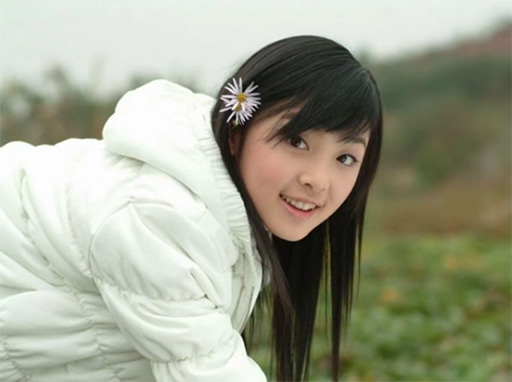
图片信息元素处于画中画状态。
代码:
CSS代码:
figure {
    margin: 0 0 12px;
    background-color: #333;
    color: #fff;
    padding: 12px 12px 8px;
    width: fit-content;
    img {
        width: 256px;
        vertical-align: bottom;
        margin-bottom: 8px;
    }
    text-align: center;
}
@media (display-mode: picture-in-picture) {
    figure {
        background-color: #f5f5f5;
        color: #333;
    }
}
HTML代码:
<p id="inPicMsg" hidden>图片信息元素处于画中画状态。</p>
<figure>
    <img src="hanyun.jpg" alt="张含韵">
    <figcaption>画面中这人是谁?</figcaption>
</figure>

<button id="inPicBtn" type="primary" class="ui-button">进入画中画</button>
JS代码:
const figure = document.querySelector("figure");
// 进入按钮和进入提示元素
const inPicBtn = document.getElementById("inPicBtn");
const inPicMsg = document.getElementById("inPicMsg");

inPicBtn.addEventListener("click", function () {
    window.documentPictureInPicture.requestWindow({
        width: figure.clientWidth + 32,
        height: figure.clientHeight + 72,
    }).then(pipWindow => {
        // 添加关闭处理
        pipWindow.addEventListener("pagehide", (event) => {
            inPicMsg.hidden = true;
            inPicMsg.after(figure);
        });
        // 显示提示
        inPicMsg.hidden = false;
        // 创建渲染样式
        const style = pipWindow.document.createElement("style");
        fetch(document.querySelector("link[href^='http']").href)
          .then(response => response.text())
          .then(text => {
            style.textContent = text;
          });
        pipWindow.document.head.append(style, document.querySelector("style").cloneNode(true));
        // 添加目标元素
        pipWindow.document.body.appendChild(figure);
    });
}, false);

// 创建退出按钮
documentPictureInPicture.addEventListener("enter", (event) => {
  const pipWindow = event.window;

  const pipExitButton = pipWindow.document.createElement("button");
  pipExitButton.className = "ui-button";
  pipExitButton.type = "primary";
  pipExitButton.textContent = "退出画中画";
  pipExitButton.addEventListener("click", () => {
    window.documentPictureInPicture.window.close();
  });

  pipWindow.document.body.append(pipExitButton);
});